Meal planning
One shopping list for all your recipes
Choose the dishes you plan to cook and let Schmaus bring their ingredients into one list. Adjust the servings before you shop, then check off what goes into the basket.
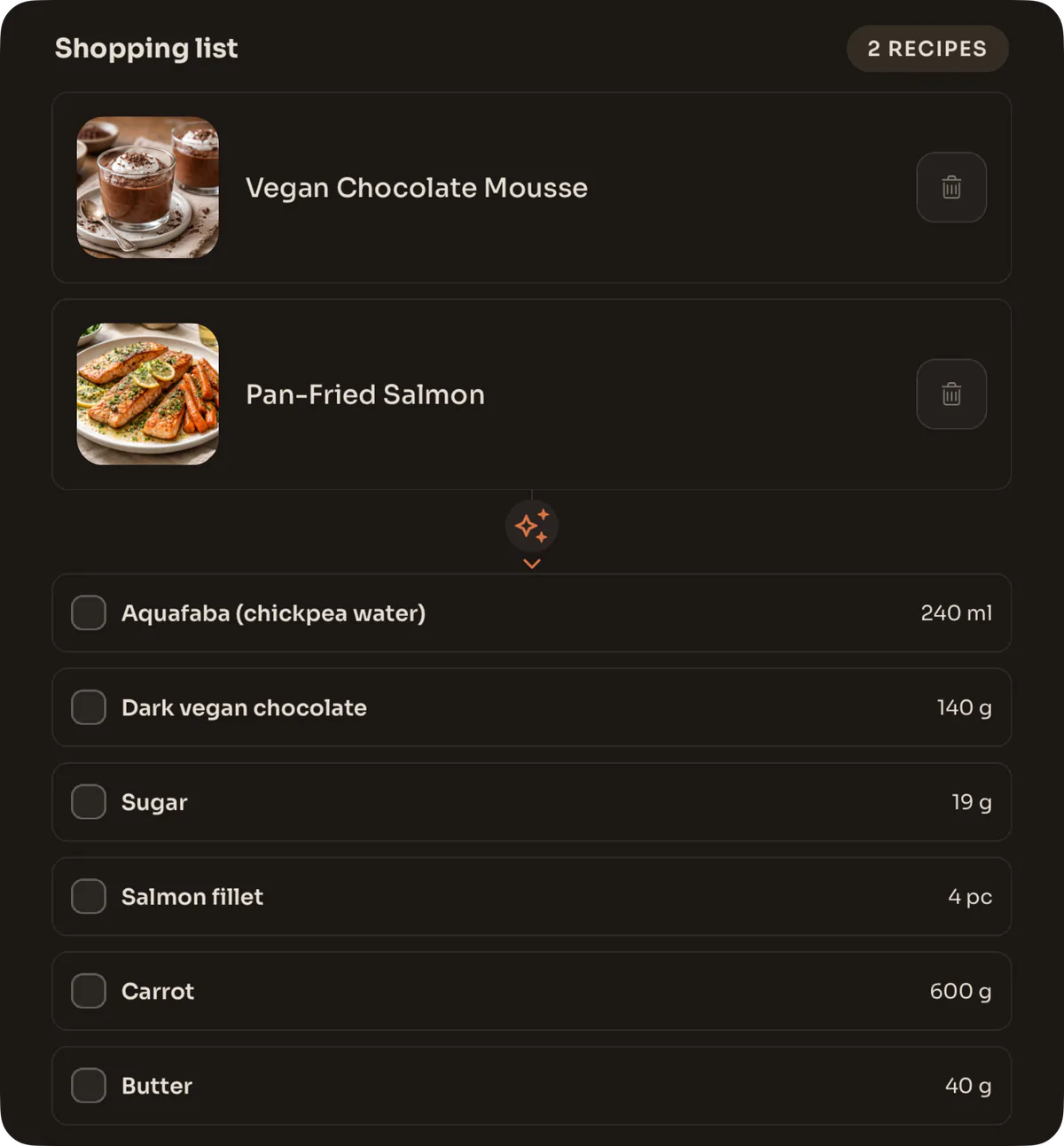
How do you combine shopping lists from several recipes?
Add each planned recipe to the Schmaus shopping list. Matching ingredients are combined where the recipe data allows it, and the amounts follow the serving setting. Unclear items stay separate. You can check them off, share the open items, or print the list.
Start with the meals, not a blank note
A useful grocery list begins before you reach the store. Pick the recipes for the next few meals and add each one to Shopping in Schmaus. You can do this from a recipe, or select several recipes from your collection and add them together.
The list keeps a connection to the recipes that produced it. That makes planning easier to change: remove a dish and its unique ingredients leave the list; add another and its ingredients join the plan. You do not need to copy each line into a separate notes app.
- Choose every recipe you expect to cook during the shopping period.
- Set the serving count that matches the people you are feeding.
- Scan the combined ingredients and check off anything already in your kitchen before you leave.
How ingredient amounts are combined
When two recipes describe the same ingredient in compatible units, Schmaus can bring those amounts together. Onions no longer need two separate lines just because they came from two dinners. Ingredients with unclear, fixed or incompatible quantities stay understandable rather than being forced into a misleading total.
Serving changes update the planned amounts across the selected recipes. This is useful when one dish serves four but you are cooking for six. Treat the total as a cooking amount, not necessarily a package recommendation: the shop may sell one bottle, bunch or bag even when the recipes need a smaller measured amount.
Use the list in the store
Open ingredients sit together while completed items move out of the way. You can check a line off with one tap and still restore it after a mistake. The list remains available with loaded app data when you are offline, which helps in shops with poor reception.
For another person or another device, share the open items as clear text or print the list. On iPhone, Schmaus can also send all ingredients or only the unchecked ones to Apple Reminders. The shopping list itself is stored on the current device; it is not a live, shared checklist that syncs between several shoppers.
- Share the list when someone else will shop and does not need the full recipes.
- Print it when a paper checklist is more practical for the trip.
- Use the Reminders option on iPhone if that is already where you manage errands.
A better list starts with better saved recipes
Recipes imported from Instagram, TikTok, photos or PDFs can all feed the same shopping plan after you review them. Correct units and consistent ingredient names make totals more useful. A missing quantity should stay visible as something to decide, not become a false number.
Plan only the meals covered by this trip and clear the list when the plan is finished. That keeps old checked items from mixing with next week’s groceries and makes the recipe count a quick check that no dinner was forgotten.